Know when to leave
Never be the parent who misses puck drop.
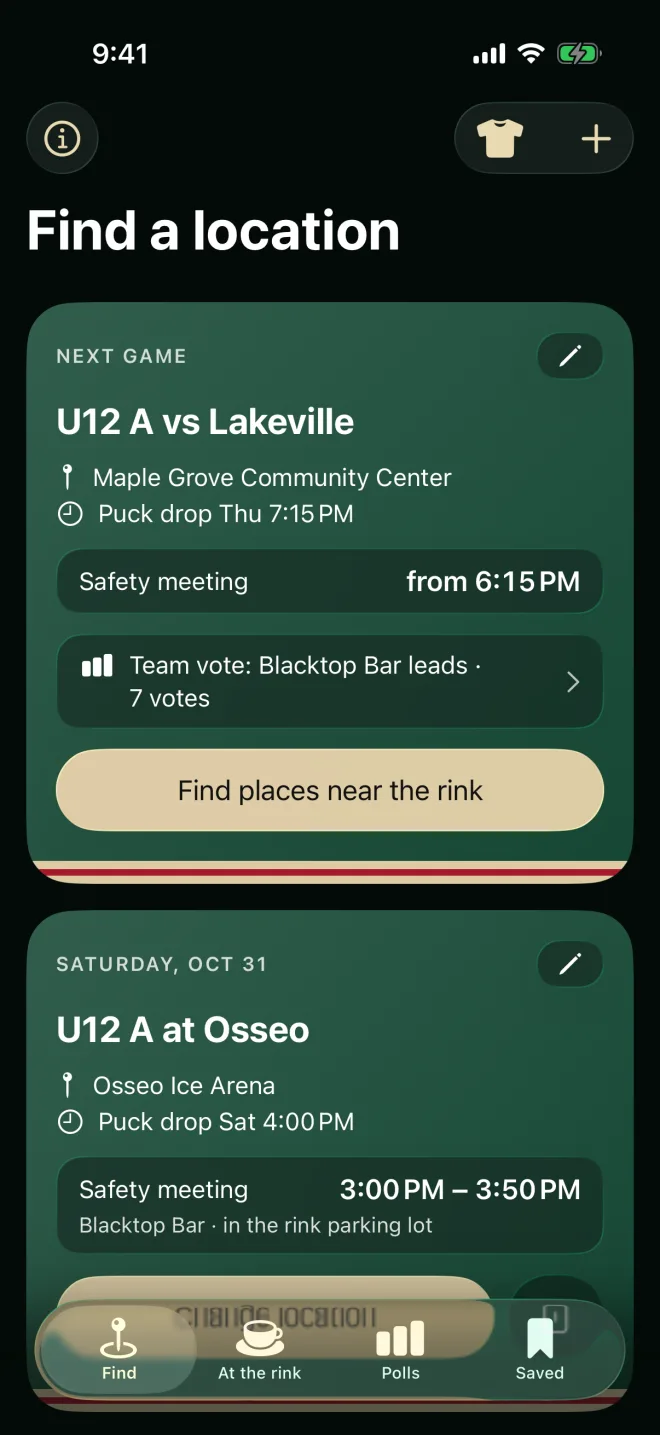
Pick a place and Safety Meeting works out the drive to the rink, adds time to park and walk in, and tells you exactly when to head out. Every place shows how long you actually get at the table.
Your safety meeting
Leave-by times allow for the drive plus 10 minutes to park and walk in — the same rule the app uses. Drag the drive to zero for the Blacktop Bar.
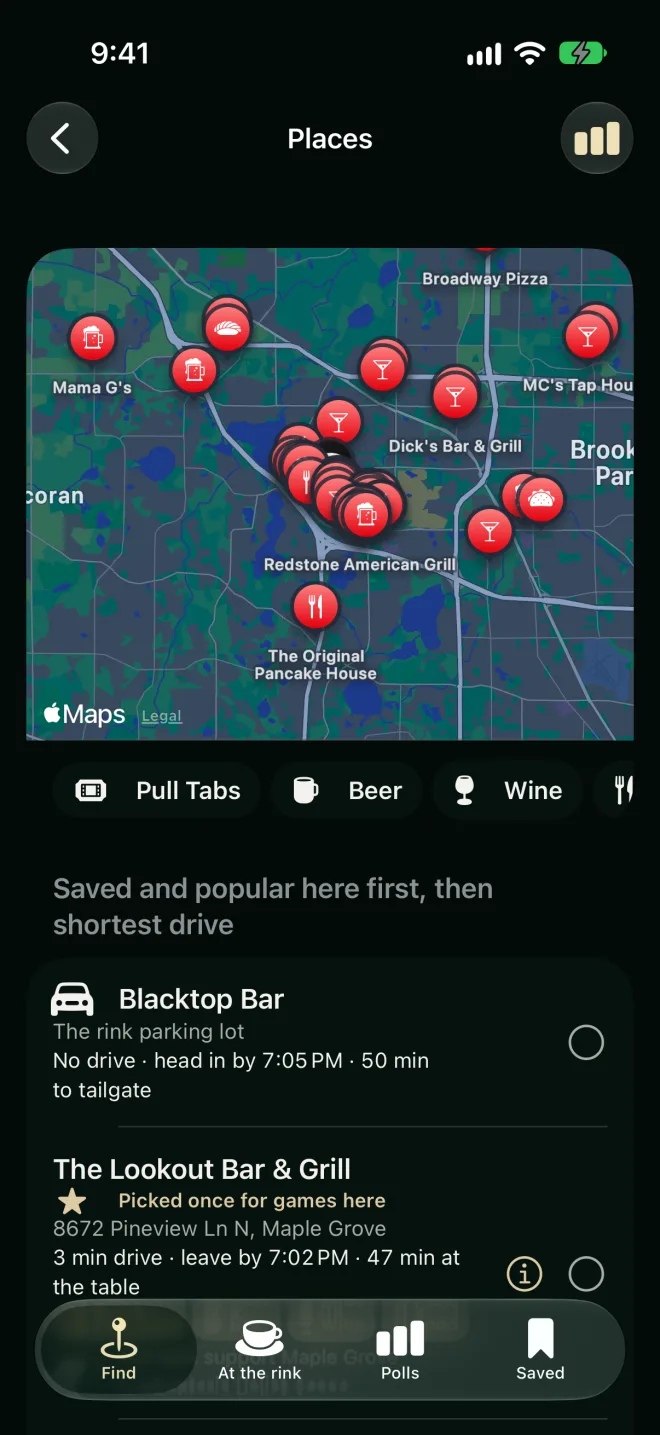
Pull tabs, beer, wine or food
Pull tabs? Filter for it.
Tap Pull Tabs, Beer, Wine or Food and the list shows only the places that have it. Pull-tab places come from Minnesota's list of licensed sites, along with the nonprofit each one supports, so you can see when your pull tabs help a youth hockey association or a fire department.
- Your favorites first: saved places, then the ones parents at this rink actually meet at, counted once the puck drops.
- Parents keep it right: tell everyone what a place has with “What's here?”
- Photos, reviews and hours: Apple Maps' place card is one tap away.
Let the team decide
One link. Everyone votes.
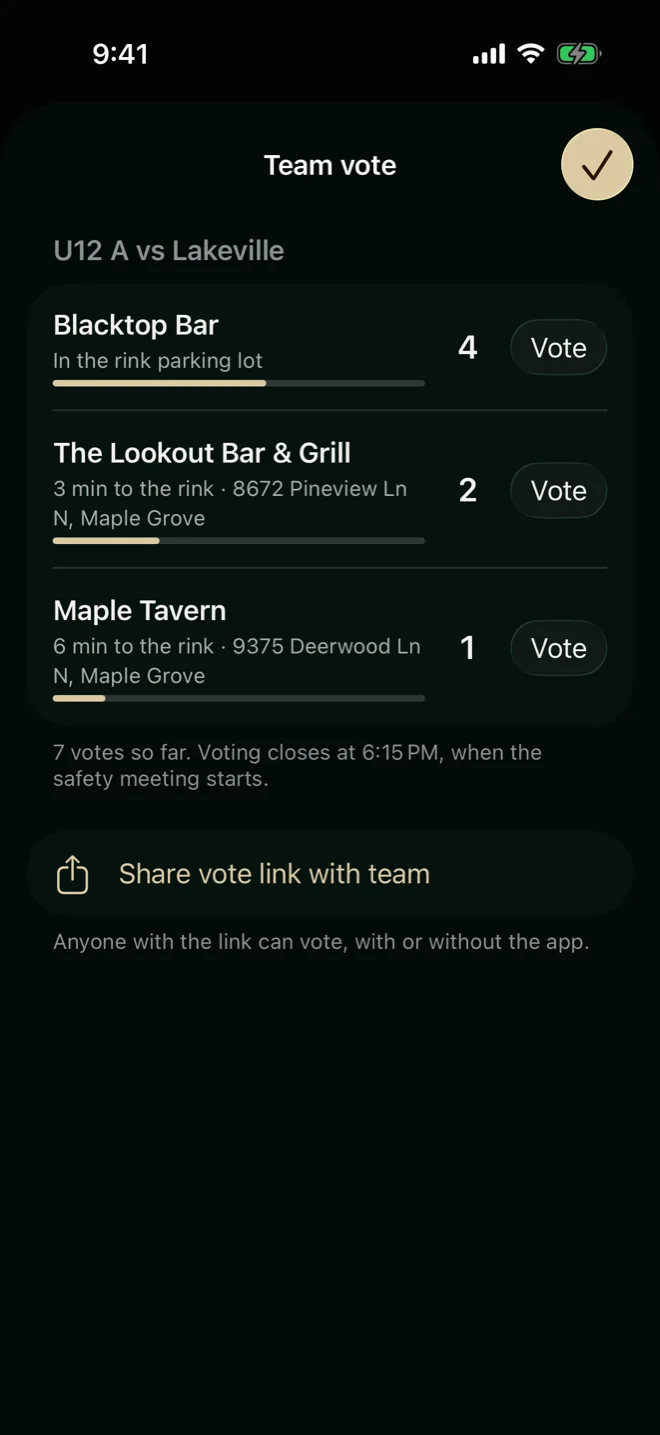
Pick two to four places and share the link with the team chat. Parents vote in the app or right in their browser — no download needed. Voting closes when the safety meeting starts, and the winner becomes the game's location for everyone.
Example vote · U12 A vs Lakeville
7 votes so far · voting closes at 6:15 PM, when the safety meeting starts.
- The Blacktop Bar is always an option — tailgating in the rink lot, no drive at all.
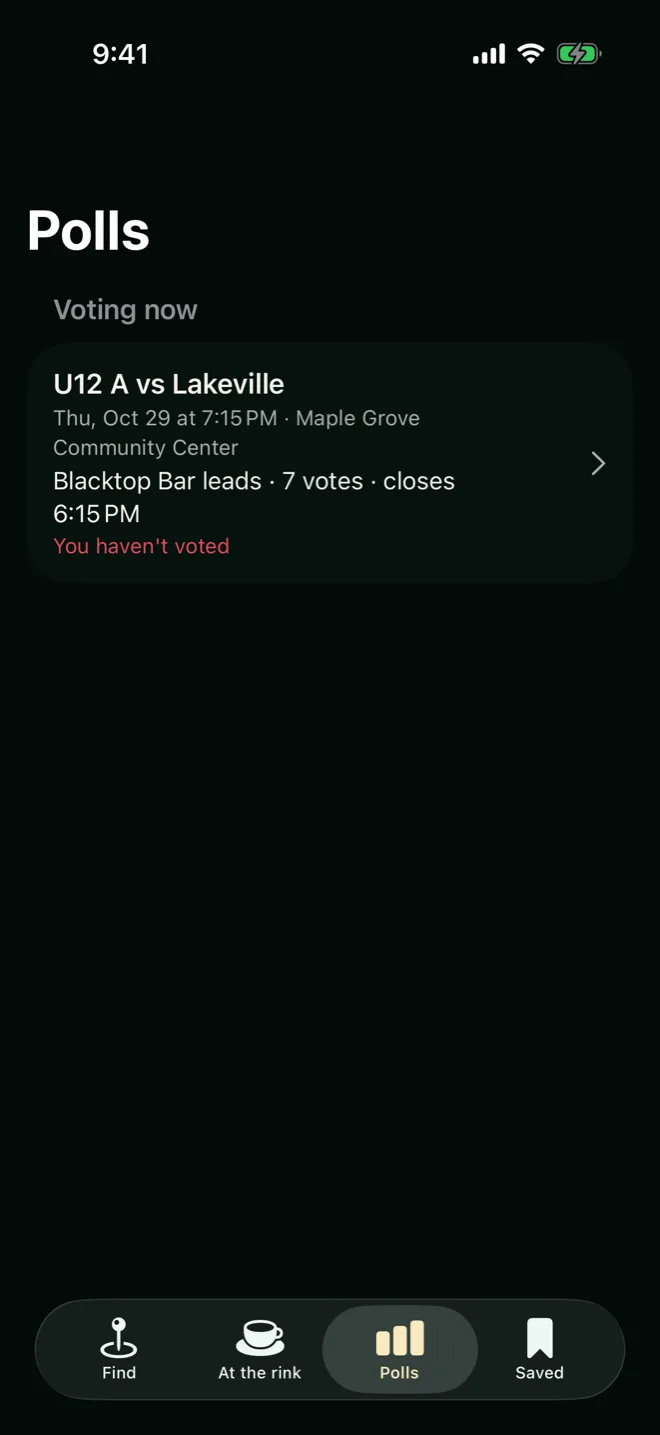
- Every vote in one place — a Polls tab with what's open, what closed and what you voted.
- The vote page wears your team's colors — whoever starts it, everyone sees their jersey.
Wear your colors
Your team. Your jersey.
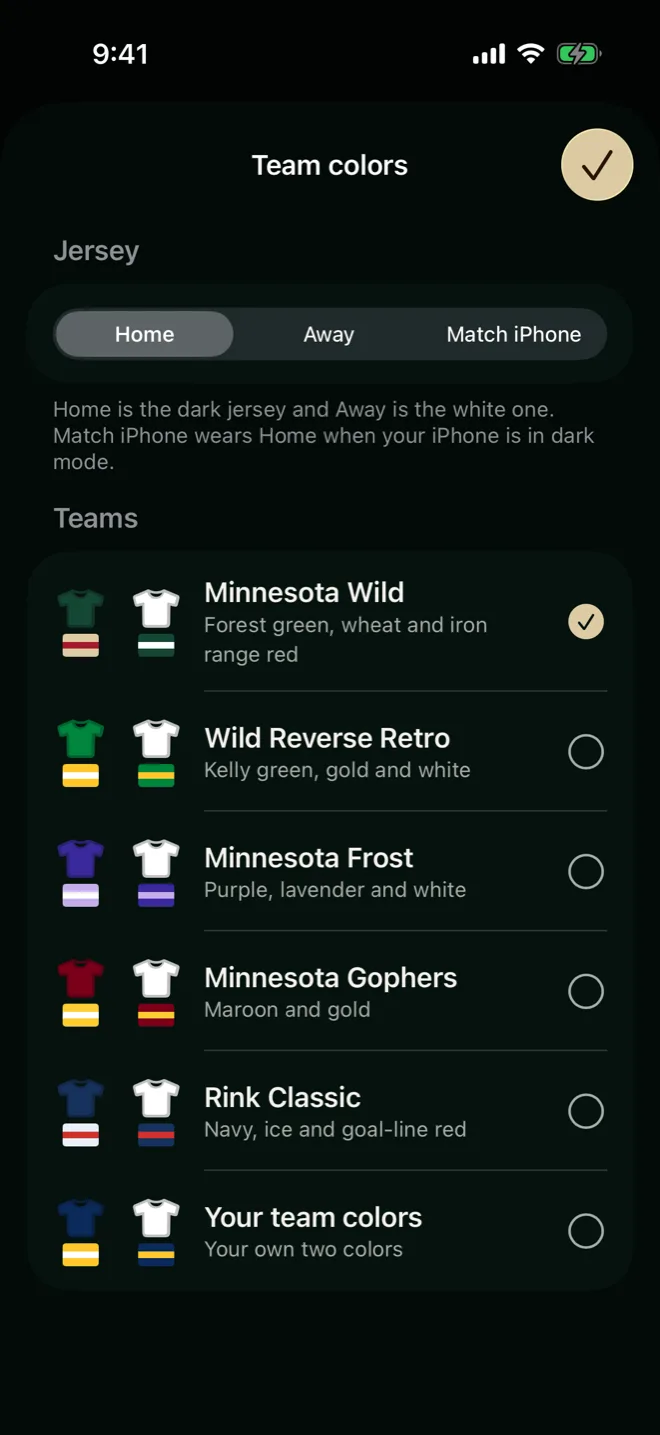
Dress the whole app in your team's colors — Home for the dark jersey, Away for the white one — or build your own from two colors. Go ahead: this page changes too.
Minnesota Wild · forest green, wheat and iron range red
- Five teams to start — Minnesota Wild, Wild Reverse Retro, Minnesota Frost, Minnesota Gophers and Rink Classic.
- Or your own two colors — every combination is checked for readable contrast.
- The app icon changes too — your pint, your stripes, on the home screen.
Your schedule, handled
Games show up. Changes too.
Paste the calendar link your association gives your team, or import from your iPhone's Calendar. Safety Meeting keeps games current every time you open it — and tells you what moved.
- Team schedule links that refresh — new times and rinks apply automatically; cancelled games disappear.
- "Your team schedule changed" — see each moved game's old and new time, and add new games with a tap.
- Games, not practices — imports put games first and tuck practices out of the way.
- Every Minnesota rink — search by name, town or ZIP, with Apple Maps for anything missing.
At the rink
Is the hot chocolate any good?
Hockey parents rate every rink's concession stand and each thing on its menu, and keep prices current — so you know whether this rink's popcorn beats the last one's.
- Opens on your rink — your next game's, or the closest one to you.
- Prices parents confirm — see when a price was last checked, and fix it if it changed.
- How cold is the rink? — parents in the stands vote 1 to 10, so you know whether to bring the blanket.
- For the whole family — At the Rink is the concession stand on its own, made for kids and grandparents too.
Your rink's stand
Rate it
Tap an item's stars to rate it: each tap gives it one more star, up to five.
Free for hockey parents
See you at the safety meeting.
Safety Meeting is coming to the App Store for iPhone. Got a vote link already? It works in any browser — no app needed.
Add your games by hand, from Calendar, or from your team's schedule link.
Pick a place near the rink — or start a vote and let the team choose.
Leave on time. Puck drop waits for no one.