For Mac, iPhone & iPad
Your PDFs, finally named.
Nomen reads each document's front matter with Apple Intelligence — right on your device — and proposes a filename you'll actually find later. Books, articles, and whole magazine runs.
Free to rename one at a time. Nothing leaves your device.
Review in seconds
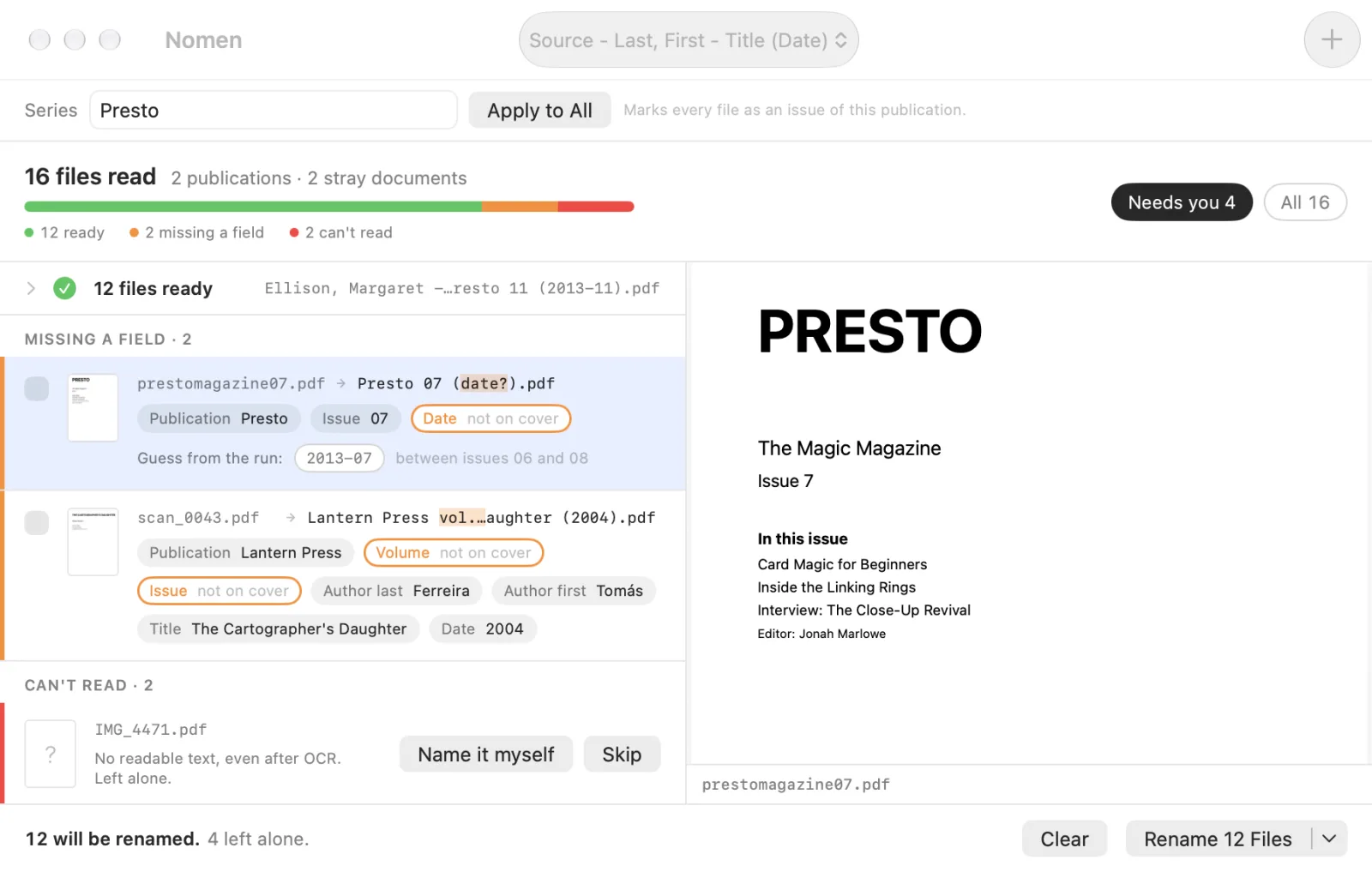
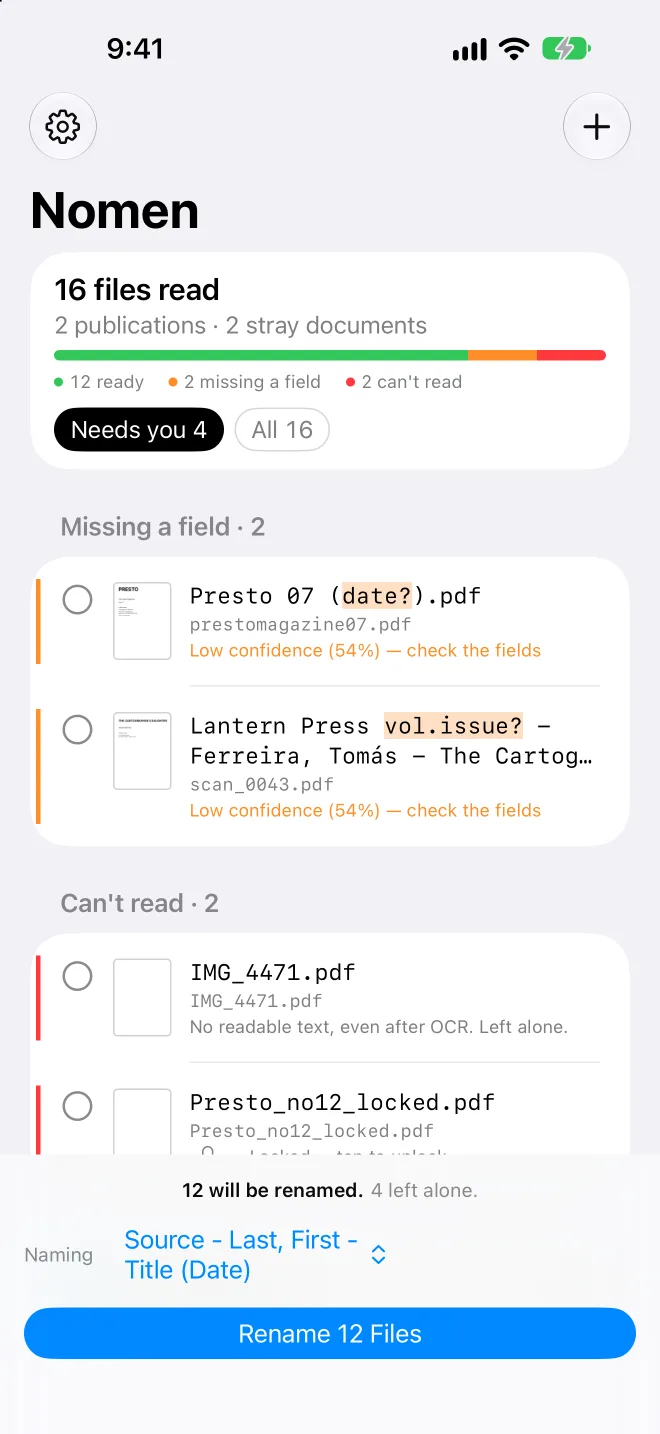
It opens on what needs you.
Drop three hundred files and Nomen doesn't hand you three hundred lines to check. Clean work folds into one row. The handful that need a person come first, with the reason spelled out.
- Ready. Read cleanly and named. Collapsed out of your way.
- Missing a field. The cover didn't print a date, or the model wasn't sure. You see exactly which field.
- Can't read. Locked or image-only. Unlock them all with one password, or name them yourself.
Fix a field, not a filename
One correction. The name follows.
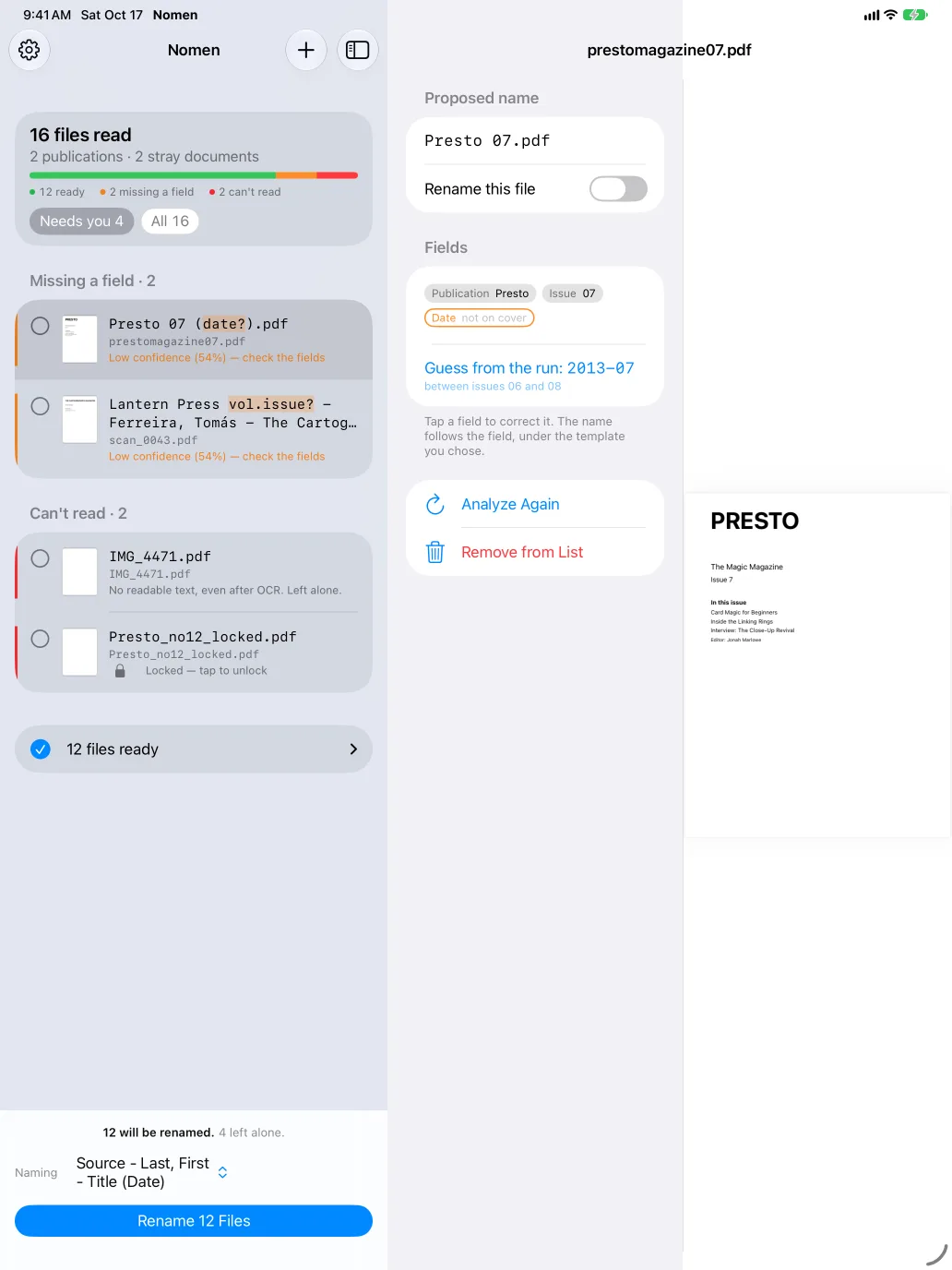
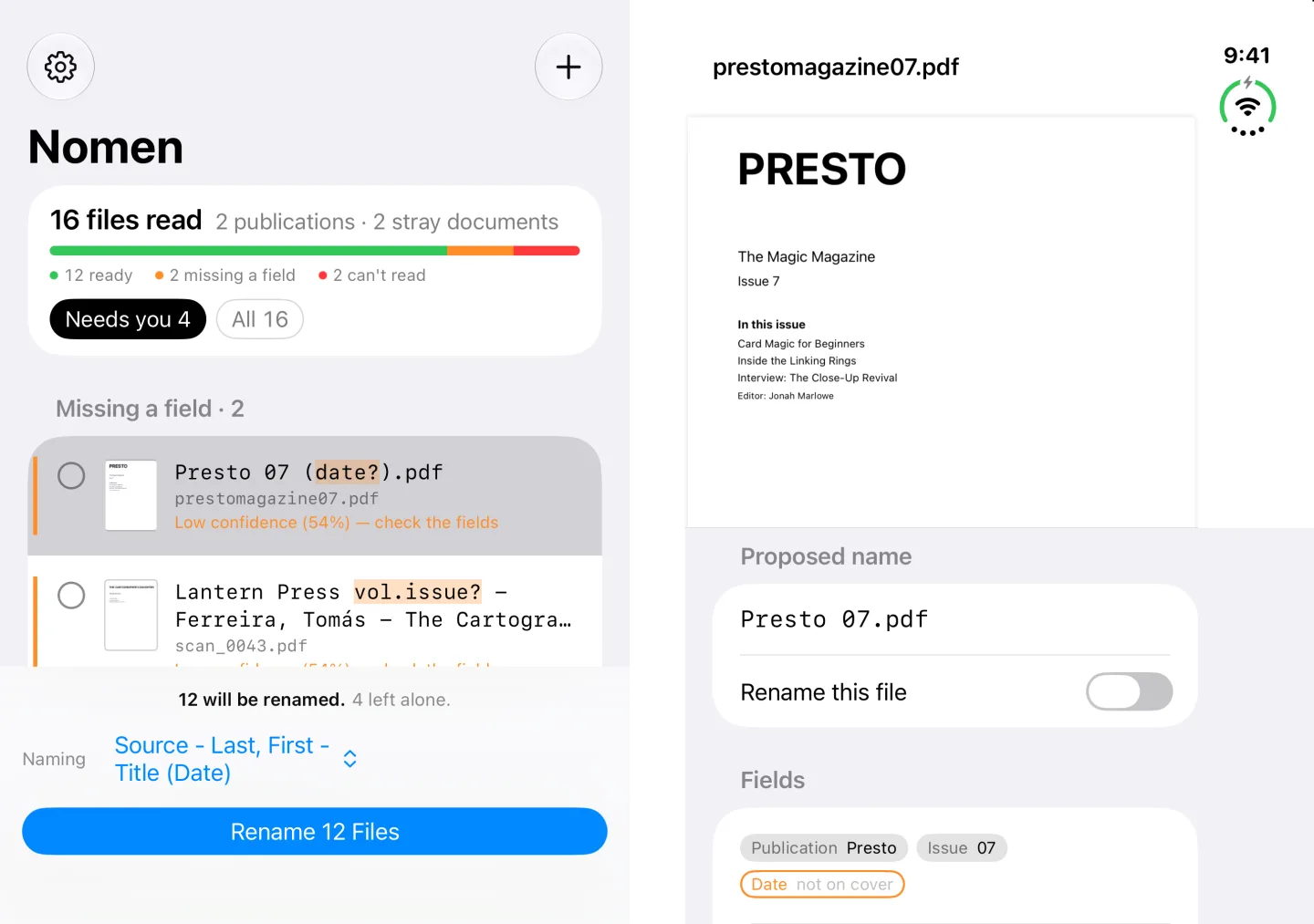
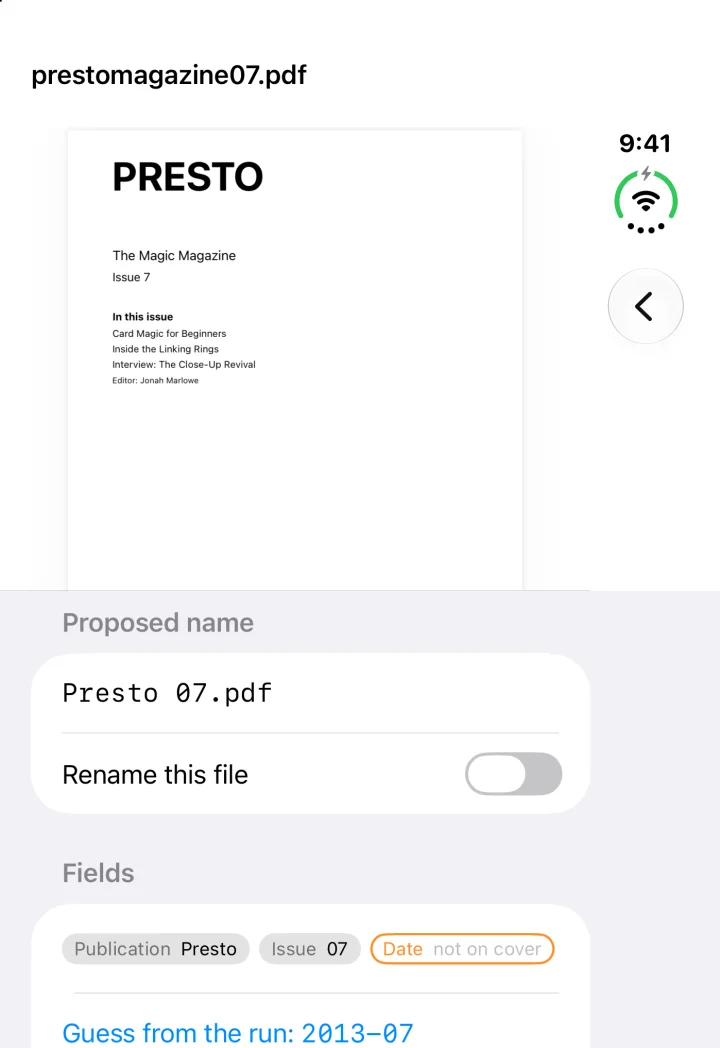
Nomen keeps what it read as fields — publication, issue, date, author, title. Tap the one that's wrong and the filename rebuilds itself from your template. And when a cover forgot its date, Nomen looks at the issues on either side and suggests it.
Built for real libraries
Small app. It sweats the details.
One fix covers 41 files
When a batch spells the same magazine three ways, Nomen asks once, then fixes every one. Nothing gets merged without your say.
Guesses from the run
A missing cover date is interpolated from the dated issues around it, and only when the run is regular. No guess beats a bad guess.
Your naming, your way
Ten patterns built in. Build your own from drag-and-drop tokens, with optional groups that vanish cleanly when a field is empty.
Checked against the page
Every number Nomen proposes has to appear in the document. If it can't be found, it's dropped and the file is flagged for you.
Reads like a librarian
Mastheads over straplines. Roman-numeral volumes. Issue numbers from filenames. Image-only scans get OCR.
Nothing is overwritten
Nothing touches disk until you say so. Collisions get a (2), and Undo walks back the whole batch.
Everywhere you keep PDFs
Mac, iPhone and iPad.
On the Mac, drag in a pile or a folder. On iPhone and iPad, pick a folder in Files — or drop files straight onto Nomen on iPad — and rename in place.
iPad — the list beside the page
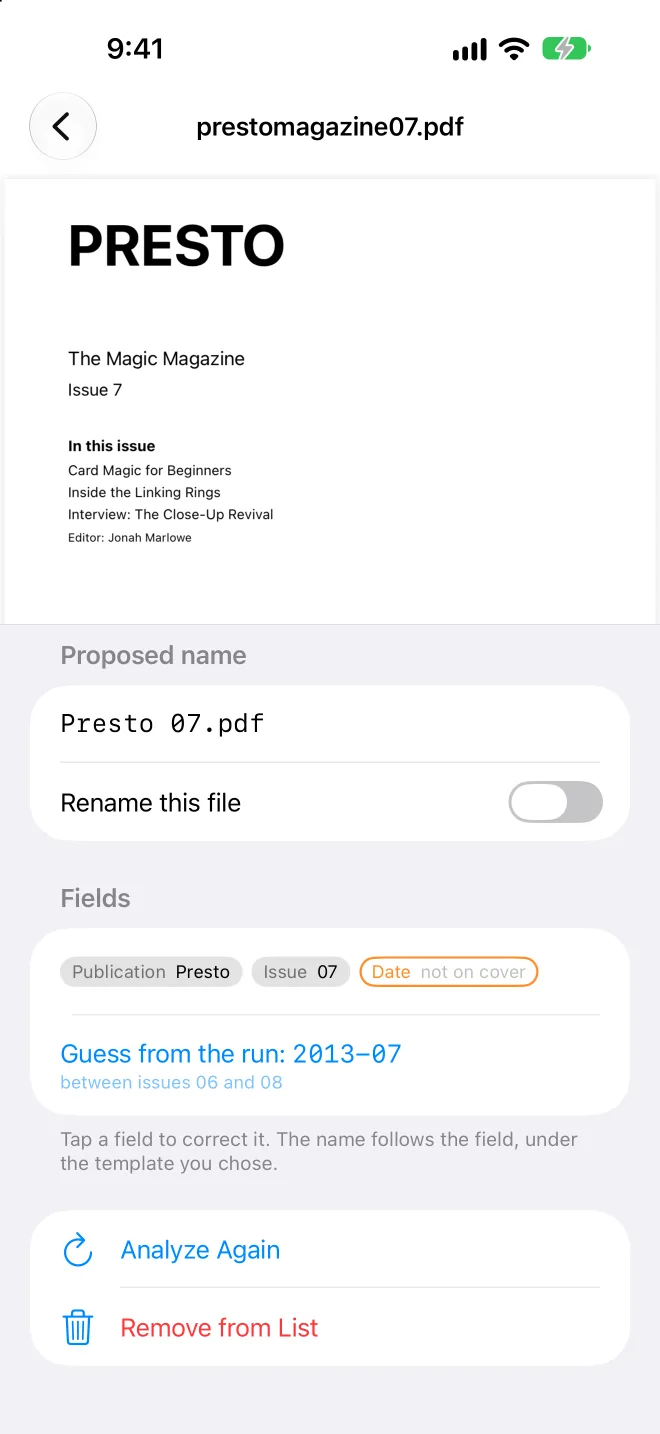
iPhone — the proposal first
Ready for iPhone Duo
Fold it, and Nomen folds with it.
Closed, it's a phone: the proposal first. Open it, and the list takes one screen while the page takes the other — nothing runs under the hinge.
Private by design
Your documents never leave your device.
Nomen runs on Apple Intelligence's on-device model. There is no server, no account, no upload, and no analytics. We couldn't read your files if we wanted to.
Pricing
Free for one. Pro for the pile.
Inference runs on your device, so there's nothing to meter. Free never runs out.
Free
- Rename one document at a time, unlimited
- All ten built-in naming patterns
- Field editing and date suggestions
Nomen Pro
- Rename whole batches and folders at once
- Build your own naming patterns
- Series override for magazine runs
- Undo the last batch
FAQ
Questions, answered.
What do I need to run it?
macOS 26, iOS 26 or iPadOS 26 or later, on hardware that supports Apple Intelligence — any Apple silicon Mac, iPhone 15 Pro or later, or an iPad with M1, A17 Pro or later — with Apple Intelligence turned on.
Does Nomen upload my files?
No. Reading and naming happen entirely on your device using Apple's on-device model. Nomen has no servers and collects no data. Read the privacy policy.
What kinds of documents does it understand?
Books, single articles clipped from magazines, journals or newspapers, and complete magazine issues. It tells the three apart automatically, and one naming pattern can serve all of them.
What if it gets a name wrong?
Nothing is renamed until you say so. Anything uncertain arrives unchecked and flagged, you correct the field rather than retype the name, and Undo reverses the last batch.
Why can it only rename inside a folder on iPhone and iPad?
iOS lets an app rename files only where you've granted it access. Choose a folder once and Nomen remembers it. A single file asks for its folder when it's time to rename.